
The WordPress age verification plugin for real age & ID checks
Most WordPress age gates are a checkbox and a cookie. AgeWallet runs real age verification – AI age estimation or government ID – through your site, gates the content you choose, and keeps working behind Cloudflare, WP Rocket, Varnish and LiteSpeed.
- Free plugin
- $5 verification credit to start
- No monthly fees
6.0+
Minimum WordPress version
GPL v2
Open source license
HPOS
WooCommerce-compatible
A date-of-birth box is not age verification
Regulators in the UK, EU, and a growing list of US states now expect a real check, not a self-declared birthday any twelve-year-old can click past. The gap between “we have an age gate” and “we can prove we verified” is where the fines live.
Self-declaration fails
A dropdown that asks a visitor to confirm they're 18 provides no evidence and no defence. It stops nobody who doesn't want to be stopped.
Caching breaks most plugins
Age gates that rely on PHP session checks get cached and served to everyone, or bypassed entirely. Anyone running a CDN has probably shipped a broken gate without knowing.
Holding IDs is a liability
Collecting driver's licenses on your own server turns a compliance task into a breach risk. The safest ID data is the kind you never touch.
Pick the mode that matches your risk
Some sites need content indexed and lightly gated. Others can’t let a single byte of protected content reach an unverified browser. AgeWallet ships both, and you switch between them from a dropdown.
Overlay
Gated content is hidden by a client-side overlay. Page HTML stays identical for every visitor, so it’s fully cache-compatible and search engines still see the page.
- SEO-friendly — crawlers index the page normally
- Works on any cached page — no cache rules needed
- Best for editorial, catalogue, and marketing pages
Strict
The page short-circuits entirely. Unverified visitors get a cookieless “skeleton” template from cache; the real content is fetched over an authenticated call only after verification passes.
- Content never reaches the browser until the visitor passes
- Pairs with "Cache Everything" CDN rules
- Split-cache system with automatic invalidation on content, menu, theme, and taxonomy changes
- GA4, GTM, and Meta Pixel snippets render into the skeleton, where your theme's tags can't fire
Gate only what you need, not the whole store
If you sell vape, alcohol, cannabis, knives, or adult products alongside everything else, gating your entire catalogue costs you conversions on the items that never needed a check. AgeWallet flags what’s regulated and gates only those carts.
Regulated status can be set per product, per category, or per tag — products inherit from any category or tag they belong to, so you can flag a whole product category once and be done.
Three checkout modes
- Off — no checkout-specific rule
- Force Always — every checkout requires verification
- Conditional on Cart — the gate fires only when the cart holds a regulated item
In Conditional mode, a cart_triggers audit trail records exactly which products, categories, or tags fired the gate — useful when someone asks you to prove the rule worked.
Gate exactly what needs gating
Whole site
Protect everything, with an option to leave the homepage open so visitors and crawlers can still find you.
Paths
Gate specific URL paths like /shop/ or /videos/premium/ and leave the rest of the site open.
Taxonomies
Categories, tags, and custom taxonomies — including WooCommerce product categories.
Single posts
Override the rules on any individual post or page from the editor sidebar.
Inline blocks
Wrap part of a page in the [agewallet_protected] shortcode to gate one section while the rest stays visible.
Your own logic
Filters and action hooks let developers extend cookie handling, caching, taxonomy rules, and metadata.
It should look like your site, not ours
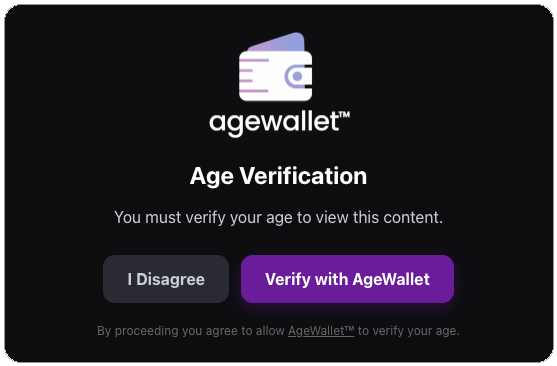
The gate is the first thing a visitor sees, so it gets your logo and your words. Set the headline and body copy in a WYSIWYG editor, pick colors for the backdrop, card, text, and both buttons, and set the card and button border radius. Anything else goes in Appearance → Customize → Additional CSS, which AgeWallet renders into strict mode too.
What you can change
- Gate logo
- Headline and disclaimer copy
- Overlay backdrop color
- Card background and border
- Body and disclaimer text color
- Agree / Disagree button colors
- Card and button border radius
- Overlay backdrop color
Live in about ten minutes
Install & Activate
Search for AgeWallet in Plugins → Add New, or upload the ZIP. Activate it from the Plugins screen.
Re-save your permalinks
Go to Settings → Permalinks and click Save Changes. This registers the /agewallet/callback/ verification route. Skip it and the return trip from verification will 404.
Run the setup wizard
Open AgeWallet in your admin menu and paste in the Client ID and Client Secret from your account. New accounts get $5 of verification credit.
Choose what to gate, then purge
Set your protection mode and rules on the Content Guarding screen, then clear your server, plugin, and Cloudflare caches so the new gate is the version visitors get.
Your site never sees an ID
Verification runs against the AgeWallet service over OpenID Connect using the Authorization Code flow with PKCE. Your WordPress install sends a client ID, a one-time authorization code, and standard PKCE, state, and nonce values. What comes back is a pass or fail.
The only thing stored on the visitor’s browser is an HMAC-signed cookie confirming they passed — verified server-side on every request, so it can’t be forged.
Delete the plugin and uninstall.php clears every option, transient, cron event, and cached file it created.
Optional metadata pass-through
Attach an opaque string of up to 4 KB to any verification — static text, or JSON composed automatically from post, user, request, and cart context. It round-trips through the OIDC flow and comes back on /userinfo, so you can tie a verification to your own records without sending AgeWallet anything you don’t choose to.
WordPress age verification, answered
Yes. The plugin is free and open source under GPL v2 or later, and there are no setup or monthly fees. You pay per verification, and new accounts start with $5 of verification credit.
Yes, and this is the part most age gates get wrong. Standard (Overlay) mode serves identical HTML to every visitor and enforces the gate client-side, so caching is a non-issue. High Security (Strict) mode ships a cookieless skeleton page from cache and pulls the real content over an authenticated call after verification, which is compatible with “Cache Everything” rules. Tested against Cloudflare, Varnish, WP Rocket, and LiteSpeed.
Yes. You can gate every checkout, gate only when the cart contains regulated items, or leave checkout ungated. Regulated status is set per product, per category, or per tag. The plugin declares WooCommerce High-Performance Order Storage compatibility.
In Standard (Overlay) mode, no — the page HTML is unchanged and crawlers index it normally. High Security (Strict) mode deliberately withholds content from anything that hasn’t verified, including crawlers, which is the point of that mode. Use Overlay on pages you want ranking and Strict on pages that legally must not be seen.
No. Verification happens on the AgeWallet service; your site receives only the pass or fail outcome. No personally identifying information is stored in your WordPress database. The visitor’s browser holds a signed cookie recording that they passed, and nothing else.
Multiple age-assurance methods, including AI-assisted age estimation and document-based verification, so you can meet the requirement without collecting identity data yourself. Coverage spans over 220 countries.
Yes. The plugin is a client for the AgeWallet verification service. Register to get a Client ID and Client Secret, then enter them in the plugin’s setup wizard.
[agewallet_protected] shortcode and it renders an inline placeholder for unverified visitors while the rest of the page stays open.Add age verification to your WordPress site today
Install the free plugin, or let us walk through your setup and show you what verification will cost at your traffic.
No setup fees • No monthly fees • Enterprise support